

BC Copilot Blueprint
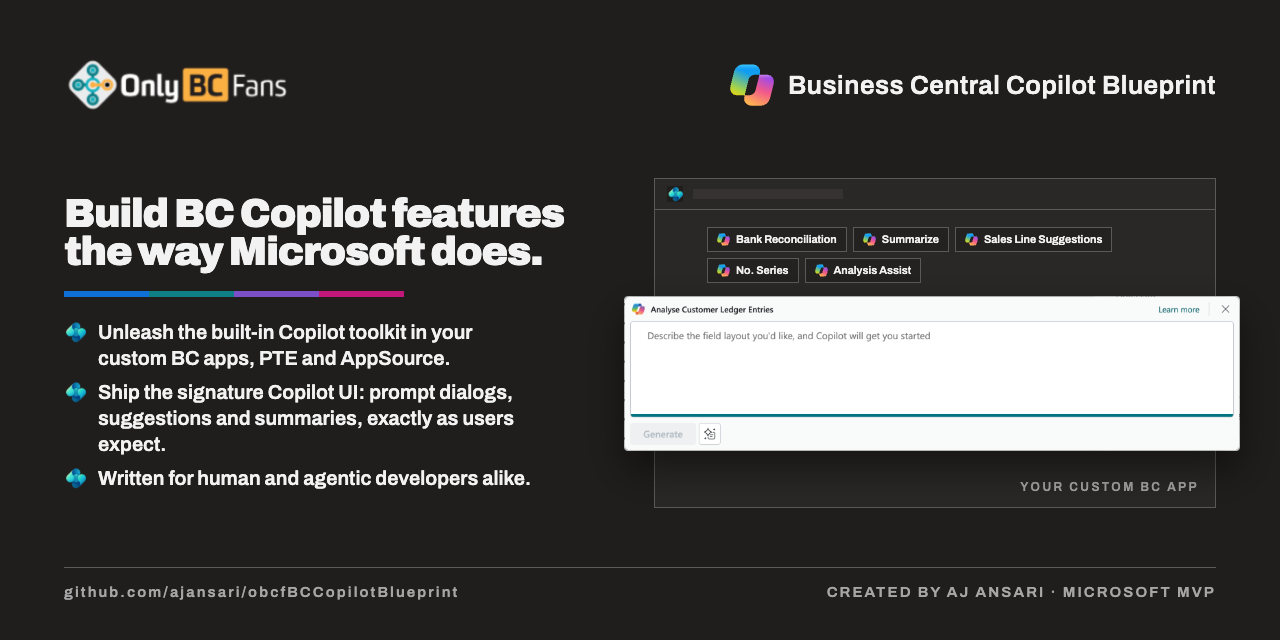
Build a Business Central Copilot feature in AL the verified way - from the OnlyBCFans BC Copilot Blueprint (ajansari/obcfBCCopilotBlueprint).
Screenshots
About this skill
BC Copilot feature → the Blueprint, every time
A Business Central Copilot feature — a registered Copilot Capability, a PromptDialog page, a
Suggest with Copilot action on a host page, the System.AI codeunits behind it — is the one thing
AI coding tools get wrong most consistently: the obsolete three-parameter RegisterCapability, a
dialog closed with LookupOK, "a PTE cannot register a capability", "Copilot needs an Azure
subscription". The OnlyBCFans BC Copilot Blueprint is a shipped, symbol-verified reference that
proves each of those wrong and gives the build order and nine compilable templates. Never write a
Copilot feature from memory. Fetch the Blueprint and build from it.
1. Fetch it — once per project, outside the project root
- Where: a sibling folder outside the AL project's root —
../<ProjectName>.copilotBlueprint/(<ProjectName>is the folder that holdsapp.json) — never under that tree:templates/holds nine real.alobjects (prefixPFX, IDs 50100–50199) thatalcwould otherwise compile into the project. If the folder already exists with aSNAPSHOT.json, use it; don't fetch again. - How: a shallow clone at the pinned tag —
v1.0.0.0— with.gitstripped,LICENSEkept (MIT), and aSNAPSHOT.jsonrecording the repo, tag, commit SHA, and fetch time:
Nothing to gitignore: it isn't in the project's tracked tree.git clone --depth 1 --branch v1.0.0.0 https://github.com/ajansari/obcfBCCopilotBlueprint "../<ProjectName>.copilotBlueprint" git -C "../<ProjectName>.copilotBlueprint" rev-parse HEAD # record in SNAPSHOT.json rm -rf "../<ProjectName>.copilotBlueprint/.git" - Optional — let the Blueprint's own skill fire in later sessions: copy the folder into
wherever your AI tool reads project skills (for example
.claude/skills/obcf-bc-copilot-blueprint/in Claude Code) and add that path to.gitignore. Skip this if your tool has no skills folder. - If GitHub is unreachable, say so and stop — do not build the feature from memory and call it verified. Offer to continue when the repository is reachable.
- Say what was fetched: the tag, the commit, and that its claims are pinned to BC 27.5 (its
references/08-api-reference-bc27.mdsays how to re-extract the API from newer symbols when the project targets a newer platform).
2. Build from it
- Read
SKILL.mdin the fetched folder first. Its 15-step procedure is the build order; each step names the reference file and the template to copy from. - Ask the billing path early: Microsoft-billed (Microsoft-managed Azure OpenAI — no Azure
subscription, no endpoint, no key;
references/03) / Partner-billed (the customer's own Azure OpenAI deployment;references/04) / both, switchable in setup. Don't assume. - Confirm the object list with the user before writing. A typical feature is: the
Copilot Capabilityenum extension, thePromptDialogpage, the host page'sPromptingaction (a page extension), the AI engine codeunit, the setup table and its page, the install codeunit, and the permission set entries. Name the capability, the host page, the billing path, and what the AI suggests. - Generate every object from its template — never from a blank file. Rename and renumber each
to the project's affix/prefix and to an ID inside
app.json'sidRanges; check existing objects for collisions first. - Compile clean with the analyzers the project uses (CodeCop, UICop, PerTenantExtensionCop or AppSourceCop) before calling the feature done.
- On any compile or runtime failure that mentions System.AI, a capability, the dialog, or a
deployment getter, check
references/08-api-reference-bc27.mdandreferences/09-false-assumptions.mdbefore memory — an obsoleteRegisterCapabilityoverload, a GPT-4o getter, "Copilot capability has not been set", AL0223 on the dialog are all in there. - Before saying anything is impossible, unsupported for PTEs, or needs an Azure subscription,
read
references/09-false-assumptions.mdand cite the row — or drop the claim. - Where the Blueprint conflicts with the project's own coding standards or Microsoft's AL guidelines, the project's standards win and the Blueprint likely has a bug (its own README says so); tell the user and suggest reporting it upstream.
- No AL project open? Explain the design from
references/01-architecture.md, name the objects, and offer to scaffold them once a project exists. - Code review: when reviewing a Copilot feature, walk the Blueprint's
SKILL.mdsection 3 done-checklist and section 2 non-negotiable rules as a review dimension.
3. What this skill never does
- Never writes a Copilot feature without the Blueprint on disk.
- Never fetches it into the project root, and never moves to a newer Blueprint tag unless the user asks.
- Never publishes, runs tests against, or touches a tenant or sandbox unless the user asks.
Dependencies
This skill calls the OnlyBCFans Business Central Copilot Blueprint public repo on GitHub
View SKILL.md
---
name: copilot-blueprint
description: Build a Business Central Copilot feature in AL the verified way - from the OnlyBCFans BC Copilot Blueprint (ajansari/obcfBCCopilotBlueprint). Use whenever the user asks for a Copilot feature, a "Suggest with Copilot" action, a PromptDialog page, a Copilot Capability registration, Azure OpenAI or System.AI in an extension, or a Copilot-assisted anything in Business Central; and before saying any BC Copilot thing is impossible, unsupported for a per-tenant extension, or needs an Azure subscription. Fetches the Blueprint at a pinned tag into a sibling folder outside the AL project, follows its procedure for the objects, and cites its false-assumptions table.
---
# BC Copilot feature → the Blueprint, every time
A Business Central Copilot feature — a registered `Copilot Capability`, a `PromptDialog` page, a
*Suggest with Copilot* action on a host page, the System.AI codeunits behind it — is the one thing
AI coding tools get wrong most consistently: the obsolete three-parameter `RegisterCapability`, a
dialog closed with `LookupOK`, "a PTE cannot register a capability", "Copilot needs an Azure
subscription". The **OnlyBCFans BC Copilot Blueprint** is a shipped, symbol-verified reference that
proves each of those wrong and gives the build order and nine compilable templates. **Never write a
Copilot feature from memory. Fetch the Blueprint and build from it.**
## 1. Fetch it — once per project, outside the project root
1. **Where:** a sibling folder **outside** the AL project's root — `../<ProjectName>.copilotBlueprint/`
(`<ProjectName>` is the folder that holds `app.json`) — never under that tree: `templates/` holds
nine real `.al` objects (prefix `PFX`, IDs 50100–50199) that `alc` would otherwise compile into
the project. If the folder already exists with a `SNAPSHOT.json`, use it; don't fetch again.
2. **How:** a shallow clone at the pinned tag — **`v1.0.0.0`** — with `.git` stripped, `LICENSE`
kept (MIT), and a `SNAPSHOT.json` recording the repo, tag, commit SHA, and fetch time:
```
git clone --depth 1 --branch v1.0.0.0 https://github.com/ajansari/obcfBCCopilotBlueprint "../<ProjectName>.copilotBlueprint"
git -C "../<ProjectName>.copilotBlueprint" rev-parse HEAD   # record in SNAPSHOT.json
rm -rf "../<ProjectName>.copilotBlueprint/.git"
```
Nothing to gitignore: it isn't in the project's tracked tree.
3. **Optional — let the Blueprint's own skill fire in later sessions:** copy the folder into
wherever your AI tool reads project skills (for example `.claude/skills/obcf-bc-copilot-blueprint/`
in Claude Code) and add that path to `.gitignore`. Skip this if your tool has no skills folder.
4. **If GitHub is unreachable, say so and stop** — do not build the feature from memory and call it
verified. Offer to continue when the repository is reachable.
5. **Say what was fetched:** the tag, the commit, and that its claims are pinned to BC 27.5 (its
`references/08-api-reference-bc27.md` says how to re-extract the API from newer symbols when the
project targets a newer platform).
## 2. Build from it
- **Read `SKILL.md` in the fetched folder first.** Its **15-step procedure is the build order**;
each step names the reference file and the template to copy from.
- **Ask the billing path early:** **Microsoft-billed** (Microsoft-managed Azure OpenAI — no Azure
subscription, no endpoint, no key; `references/03`) / **Partner-billed** (the customer's own Azure
OpenAI deployment; `references/04`) / **both, switchable in setup**. Don't assume.
- **Confirm the object list with the user before writing.** A typical feature is: the
`Copilot Capability` enum extension, the `PromptDialog` page, the host page's `Prompting` action
(a page extension), the AI engine codeunit, the setup table and its page, the install codeunit,
and the permission set entries. Name the capability, the host page, the billing path, and what
the AI suggests.
- **Generate every object from its template — never from a blank file.** Rename and renumber each
to the project's affix/prefix and to an ID inside `app.json`'s `idRanges`; check existing objects
for collisions first.
- **Compile clean** with the analyzers the project uses (CodeCop, UICop, PerTenantExtensionCop or
AppSourceCop) before calling the feature done.
- **On any compile or runtime failure that mentions System.AI, a capability, the dialog, or a
deployment getter**, check `references/08-api-reference-bc27.md` and
`references/09-false-assumptions.md` **before memory** — an obsolete `RegisterCapability` overload,
a GPT-4o getter, "Copilot capability has not been set", AL0223 on the dialog are all in there.
- **Before saying anything is impossible, unsupported for PTEs, or needs an Azure subscription,
read `references/09-false-assumptions.md` and cite the row** — or drop the claim.
- **Where the Blueprint conflicts with the project's own coding standards or Microsoft's AL
guidelines, the project's standards win** and the Blueprint likely has a bug (its own README
says so); tell the user and suggest reporting it upstream.
- **No AL project open?** Explain the design from `references/01-architecture.md`, name the
objects, and offer to scaffold them once a project exists.
- **Code review:** when reviewing a Copilot feature, walk the Blueprint's `SKILL.md` section 3
done-checklist and section 2 non-negotiable rules as a review dimension.
## 3. What this skill never does
- Never writes a Copilot feature without the Blueprint on disk.
- Never fetches it into the project root, and never moves to a newer Blueprint tag unless the user
asks.
- Never publishes, runs tests against, or touches a tenant or sandbox unless the user asks.
Files in v1.0.0
| Path | Size |
|---|---|
| SKILL.md | 5.7 KB |